 TabRevive
Keep a tab working after you switch away.
Chrome slows down tabs you aren’t looking at, and many sites pause or log you out the moment you leave. TabRevive keeps the tabs you pick always active, as if they were still in front of you.
Add to Chrome, freeUsed by over 4,000 people. No account, nothing to set up.
Why tabs stop working
When you switch to another tab, Chrome tells the page it’s hidden and cuts back how often its code can run: timers drop to once a second, then once a minute after five minutes, and animations stop. If memory gets tight, Chrome may unload the tab completely.
That’s sensible for most tabs. It’s a problem for a dashboard that should keep refreshing, a long upload, a chat that marks you as away, or a game that pauses the second you look elsewhere.
What it does
For each tab you protect:
- The page thinks you never left.
- It stays always visible and focused to the page, with no tab-switch events, not when you leave and not when you come back.
- No tab throttling.
- Timers and animations keep full speed, even after hours in the background.
- No tab sleeping.
- Chrome won’t unload it, so you come back to the page exactly as you left it.
- Everything else is untouched.
- Only the tabs you choose are affected. The rest of your browser behaves normally.
How to use it
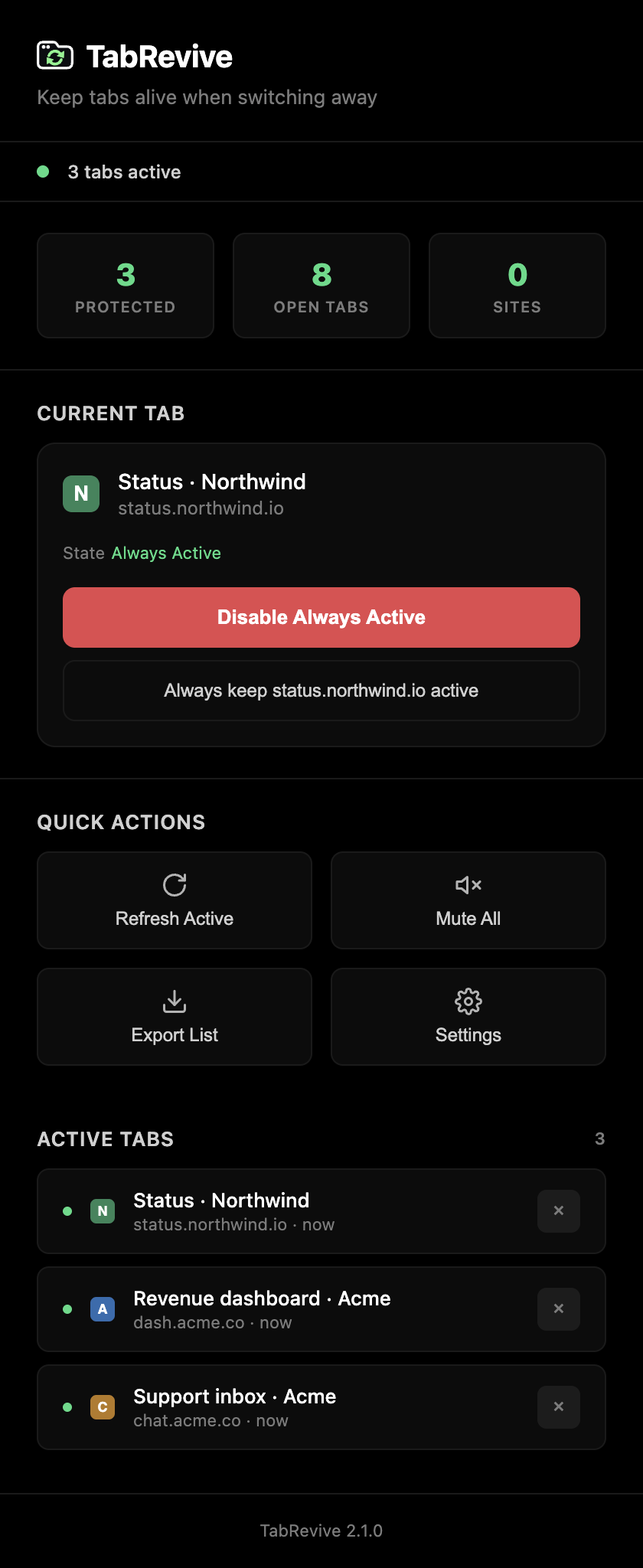
- Open the tab you want to keep running and click the TabRevive icon.
- Click Make Always Active. Or click Always keep this site active to cover every tab you open on that site.
- Switch tabs as usual.
Shortcuts: Ctrl Shift A toggles the current tab, Ctrl Shift D turns everything off. On a Mac use ⌘ instead of Ctrl.
Protected tabs are remembered after you restart Chrome.
What it can’t do
Some things are decided by Chrome itself: it stops drawing a page you can’t see, so CSS animations and on-screen checks pause. Leaving full screen by switching tabs is visible to the page. And if Chrome’s Energy Saver freezes a tab, nothing runs in it.
Sites that log you out after a period without any clicks or typing use their own timers. For those, turn on Simulate Activity in the settings.
Guides
Questions
Is it free?
Yes. No ads, no paid version.
Does it collect any data?
No. It makes no network requests at all. Your list of tabs and your settings are stored in your browser and never leave it. See the privacy policy.
Why does it ask for access to all websites?
Because you can protect a tab on any site, the extension has to be able to run there. It stays inactive on every tab you haven’t protected.
Will it slow my computer down?
Protected tabs use about as much as they would if they were in front of you, since that’s the point. Unprotected tabs aren’t affected. If you protect a lot of heavy tabs, turn off Aggressive Mode in the settings to let their timers slow down while keeping everything else.
Which languages does it support?
English, Spanish, Portuguese, German, French, Japanese, Russian, Indonesian, Hindi, Turkish, Korean and Chinese (Simplified). It follows your Chrome language.
Something isn’t working on a site.
Please tell me through the Support tab on the Chrome Web Store page, with the site and what you expected. I read everything.